Best at
Thumbnail switching
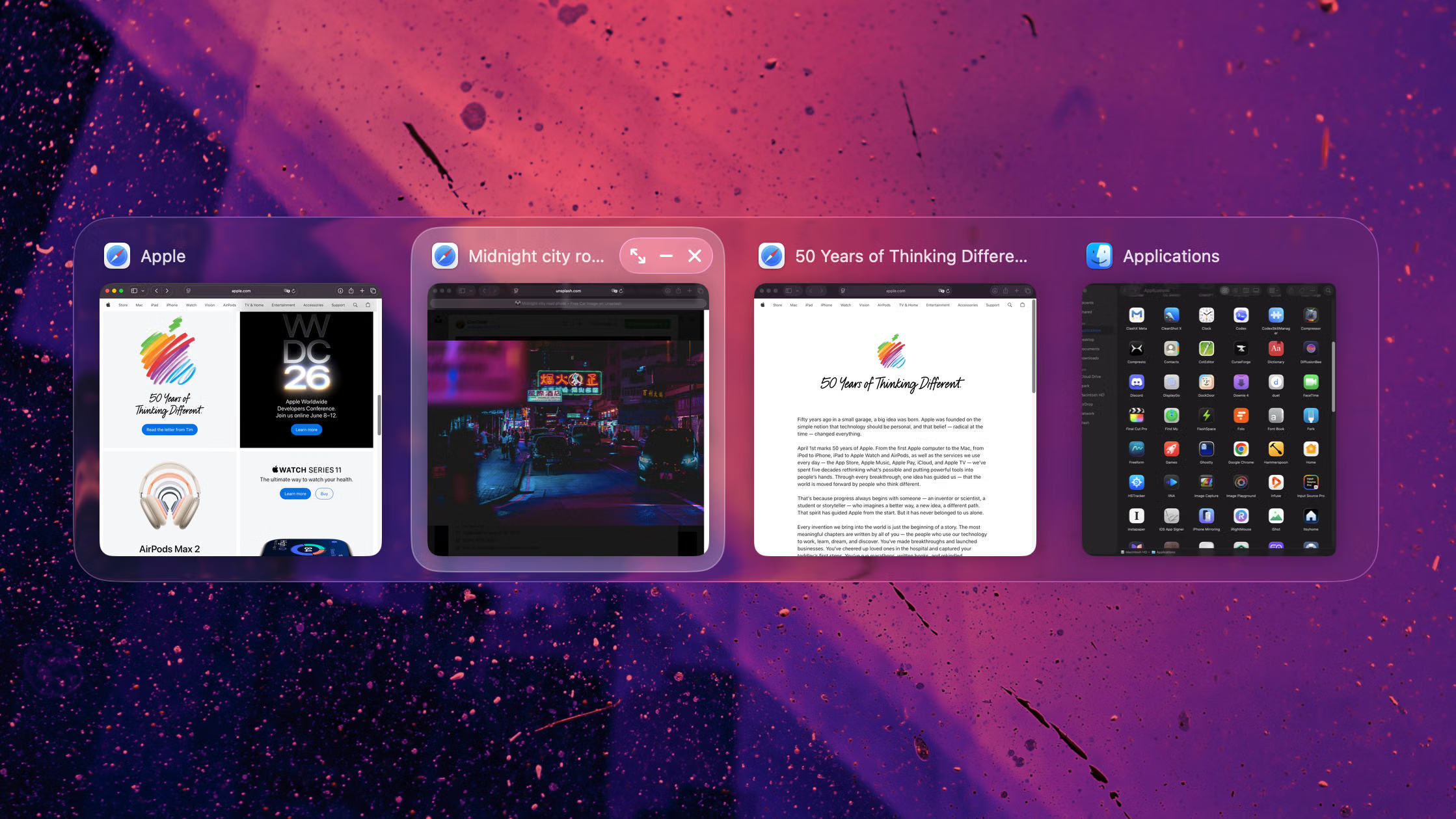
AltTab is strong when quick thumbnail browsing is the main problem.
Tangrid vs AltTab
AltTab is built around thumbnail-led switching. Tangrid stays visual too, but puts more emphasis on helping you identify the right window fast with vertical search, live on-screen preview, richer gestures, and smoother landing on the target window.
Best at
AltTab is strong when quick thumbnail browsing is the main problem.
Prefer AltTab
You mainly want a visual switcher centered on shortcuts, window actions, and app blacklist controls.
Prefer Tangrid
Tangrid keeps visual switching, then layers vertical search, live preview, and richer mouse or trackpad gestures.
Biggest gap
Tangrid helps before and after focus: preview the real position, center the pointer, and filter out noisy windows.
| Workflow | AltTab | Tangrid |
|---|---|---|
| What you look at while switching |
Thumbnail list
You switch by scanning window thumbnails. |
Preview + more cues
It stays visual, but adds extra cues so the target window is easier to spot. |
| Dense same-app stacks |
Browse-first
Works best when thumbnails are enough to identify the next window. |
Vertical search
A vertical search flow helps separate many similar windows. |
| Preview before focus |
In-switcher
Preview lives inside the switcher through thumbnails. |
Live position
You can preview the target window at its real on-screen position in real time. |
| Mouse and trackpad actions |
Shortcut-focused
Core workflow centers on shortcut-driven switching and built-in window actions. |
Gesture-rich
Custom mouse or trackpad gestures can trigger minimize, close, maximize, quit app, and more. |
| After switching |
Focus target
Brings focus to the selected window. |
Focus + center
Can move the pointer to the center of the target window after selection. |
| Filtering |
App blacklist
Blacklist apps you do not want listed or triggered. |
Window blacklist
Blacklist unwanted windows so the picker stays cleaner. |
Start by comparing whether thumbnails alone already let you recognize the right window quickly.
Then compare preview inside a switcher versus preview at the real on-screen position.
If you use mouse or trackpad heavily, compare gesture depth and pointer landing help.
For the core visual switching job, yes, and then Tangrid extends it with vertical search, live position preview, richer gestures, and pointer centering. The practical difference is that Tangrid spends more effort helping you identify and land on the right window faster.
AltTab is still the better fit if you mainly want a lightweight thumbnail switcher, rely on keyboard shortcuts, and do not need heavier search or mouse-first assistance.
Tangrid puts more weight on recognition and landing: vertical search, live position preview, and pointer centering make the last step feel more direct.
Open the comparison page for the other utility in your setup.
Magnet
Best when a mouse-friendly snapping utility is enough.
AeroSpace
Best when deterministic tiling and config-driven control are the priority.