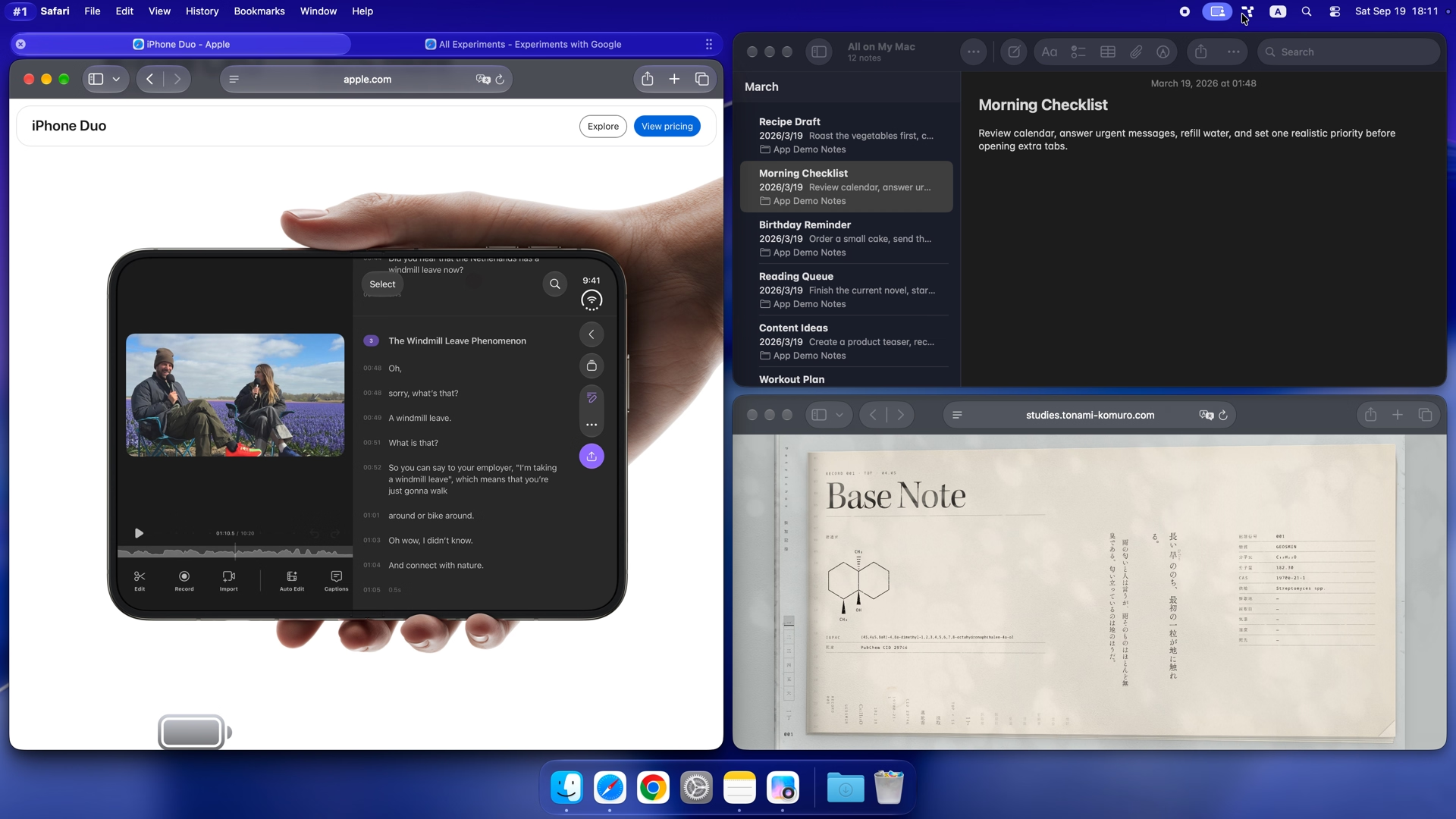
Tangrid is a tiling window manager for Mac. Auto Flow uses BSP-style layouts to arrange open windows with split or tab priority. Set floating rules and display gaps in the app, then adjust the layout with shortcuts as you work.
Put two documents side by side or place a reference above your editor. Change the split direction, rotate or flip the layout, or balance window sizes without dragging each window into place.
Use directional shortcuts to focus nearby windows or move them within the layout. You can also send a window to another desktop or display without reaching for the mouse.
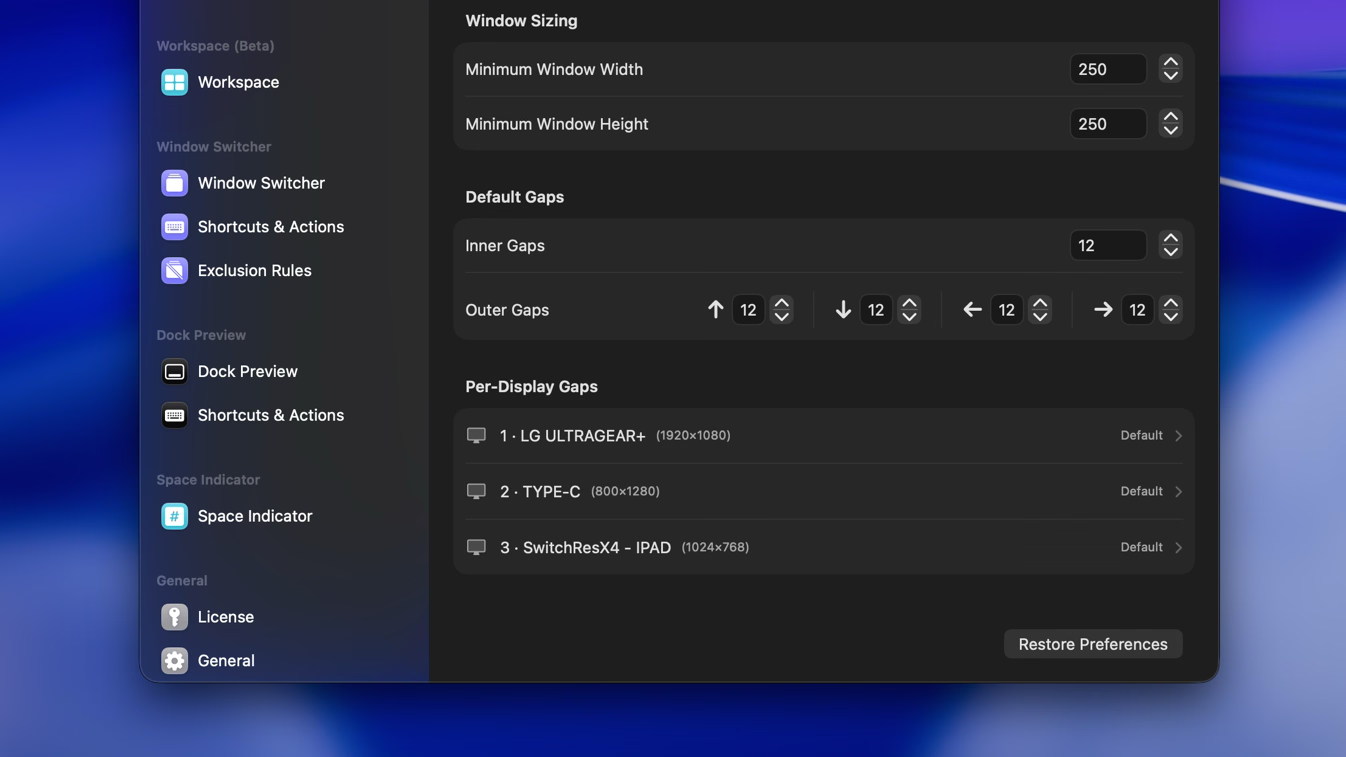
Set spacing for each display
Adjust gaps, margins, and minimum window sizes, including separate spacing for each display. App and window-title rules can keep small utilities floating beside your tiled windows.
Frequently asked questions
How does a tiling window manager for Mac arrange windows?
Auto Flow uses BSP-style layouts with split or tab priority. It adjusts managed windows as they open and close. Rotate, flip, balance or reorder the layout with shortcuts, while floating rules keep selected windows outside it.
Auto Flow or Snap Assistant?
Auto Flow keeps windows arranged automatically. Snap Assistant lets you place them by snapping and arrange them when you choose. They are separate management modes. Rotation, flipping, and directional reordering are available in Auto Flow.
Can some apps stay floating?
Yes. Set floating rules by app or window title to keep selected tools outside the tiled layout. You can also make a single window float automatically. Window-title rules support regular expressions.
Can I set different gaps on each display?
Yes. Set gaps and margins globally or for each display, so your laptop and external monitor can use different spacing.
Does Auto Flow save a project layout for later?
Auto Flow arranges the windows you're using now. To save a project setup for later, create a named snapshot in Workspaces. It can restore window positions, sizes, and layout state when you return.