When should I arrange windows?
Run the arrange-windows action when the windows you've placed need tidying. For continuous automatic layout, use the separate Auto Flow mode. It also supports rotation, flipping, and directional reordering.
Drag a document to the side of the screen to put it beside your browser. Drag an editor to the menu bar to fill the screen. You can also move or resize a window with modifier keys, then arrange your windows when you choose.
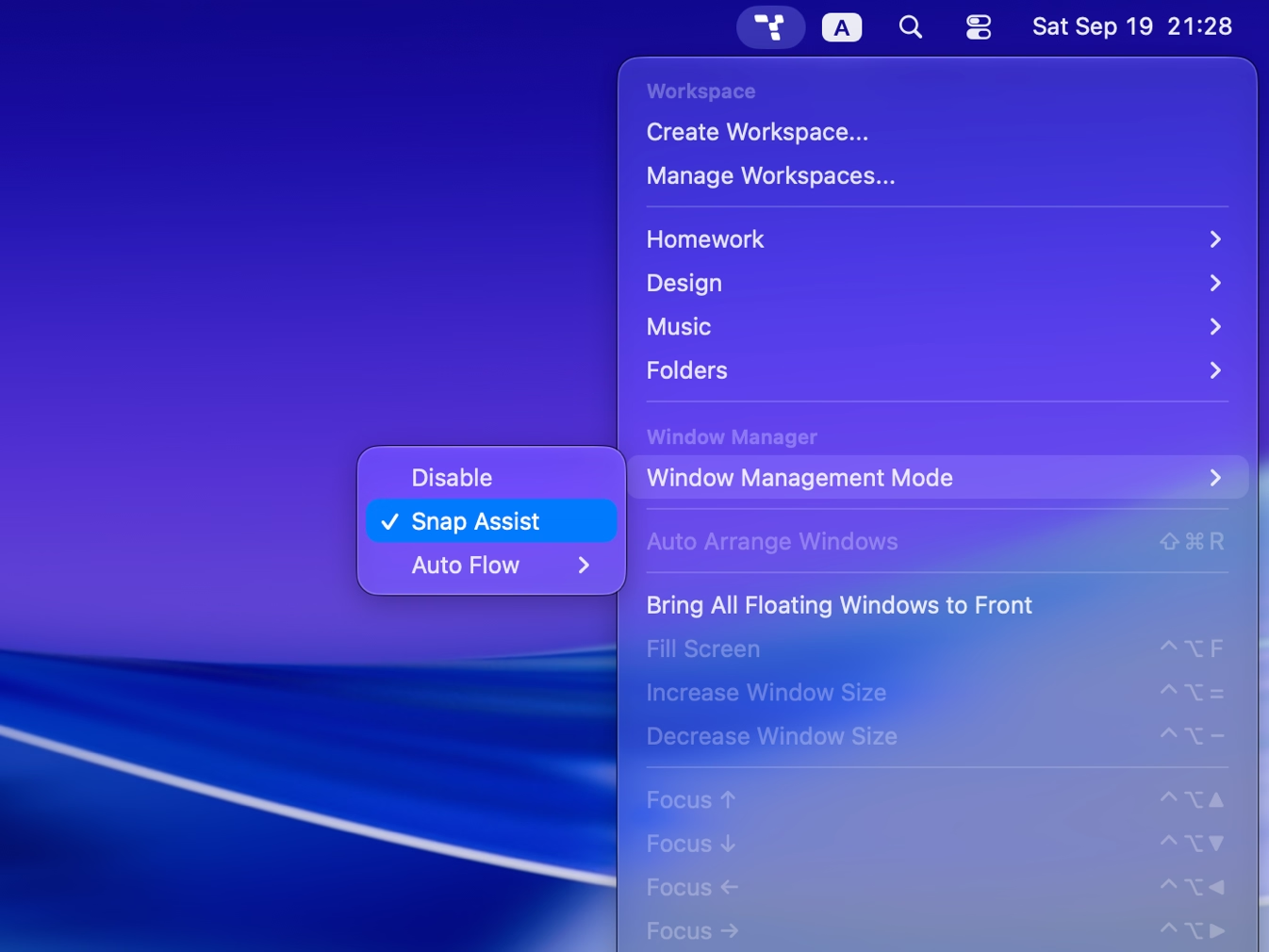
Choose Snap Assist in window-management settings and enable the edge behaviors you want. Your placements stay as you left them until you run the arrange-windows action.
Run the arrange-windows action when the windows you've placed need tidying. For continuous automatic layout, use the separate Auto Flow mode. It also supports rotation, flipping, and directional reordering.
Yes. Enable the relevant Snap Assist behaviors, then drag a window to the left or right edge for side-by-side tiling. Drag it to the menu bar to fill the screen.
Yes. Set mouse-operation modifiers, then drag from anywhere in a window. Drag with the left button to move it or the right button to resize it. The separate drag-modifier option for dragging anywhere is experimental.

Try Tangrid free for 7 days. One-time purchase, 14-day money-back guarantee.